How many times have you clicked on the Gravatar image of somebody who has left a comment on a blog post and not been able to find their blog details? Frustrating, isn’t it?
The image that appears next to a comment is known as a Gravatar. Here’s an example.

If I hover my mouse over Ritu’s image, the following happens.

If I wanted to find Ritu’s blog, I would need to click on the ‘View Complete Profile’ button.
When I do that, I’m taken to her Gravatar page.
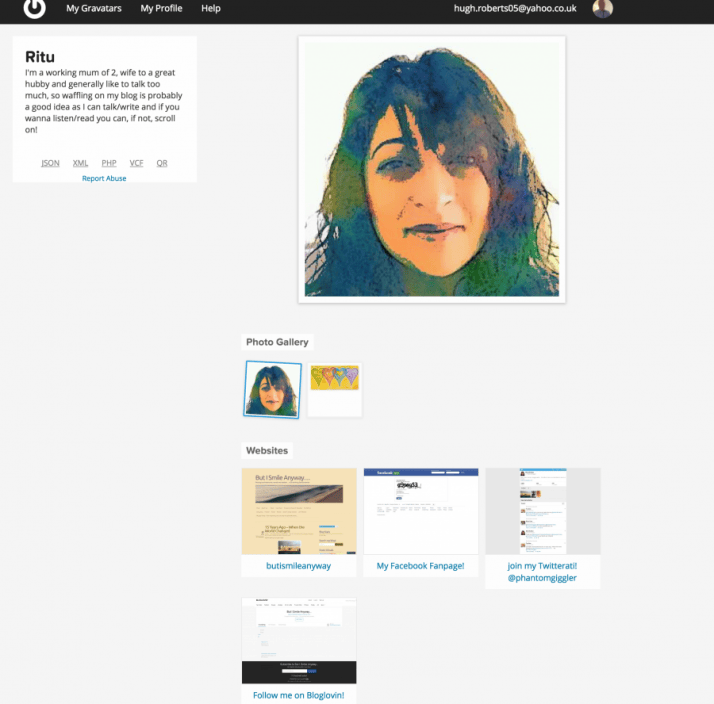
Ritu’s websites, including her blog, are listed towards the bottom of the page. All I have to do is click on the ‘But I Smile Anyway‘ blog image (under ‘Websites’) and, hey presto, I’m taken straight to her blog.
But how do you add your WordPress blog to your Gravatar profile?
- Using a search engine, search for Gravatar.
- Sign into Gravatar by…
View original post 112 more words